
Anúncios
Struggling with low audio on your smartphone? Whether you’re watching videos, listening to music, or taking calls, weak sound can be frustrating and limit your mobile experience significantly.
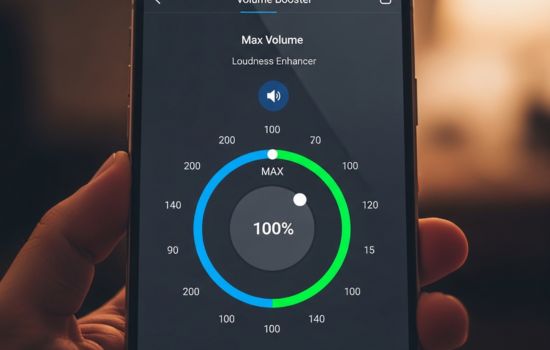
Modern smartphones pack incredible technology into compact devices, but sometimes their speakers simply don’t deliver the volume we need. Environmental noise, aging hardware, or manufacturer limitations can leave you straining to hear important content. Fortunately, dedicated volume booster applications offer a practical solution to maximize your device’s audio output beyond standard system settings.
These specialized apps work by optimizing your phone’s audio processing, applying advanced equalization techniques, and unlocking volume levels that remain hidden in default configurations. Before diving into specific solutions, it’s essential to understand how these tools work and which features truly matter for achieving crystal-clear, powerful sound from your mobile device.
🔊 Why Your Phone’s Default Volume Isn’t Enough
Smartphone manufacturers typically limit maximum volume output for several reasons. Legal restrictions in various countries mandate safe listening levels to protect hearing health. Additionally, companies worry about speaker damage from excessive power, which could lead to warranty claims and customer dissatisfaction.
However, these conservative settings often prove inadequate for real-world situations. When you’re outdoors with traffic noise, in a crowded environment, or sharing audio with friends, the pre-configured maximum volume falls disappointingly short. This gap between manufacturer caution and user needs creates the perfect opportunity for volume enhancement applications.
Beyond simple volume limitations, audio quality degradation represents another common frustration. As you push your device toward maximum volume using standard controls, distortion frequently creeps in, making music sound tinny and voices unclear. Professional volume booster apps address both challenges simultaneously—increasing loudness while maintaining sound integrity.


📱 How Volume Booster Applications Actually Work
Volume enhancement apps employ sophisticated digital signal processing to amplify audio beyond factory limits. They intercept the audio stream before it reaches your speakers, applying computational algorithms that boost specific frequency ranges while preventing distortion and clipping.
The most effective applications utilize multi-band equalization, treating different frequency ranges independently. Bass frequencies receive different amplification profiles than mid-range or treble sounds, ensuring balanced output that doesn’t sacrifice clarity for raw power. This selective approach produces significantly better results than simple volume multiplication.
Advanced volume boosters also incorporate safety features like automatic volume normalization and limiter functions. These protective mechanisms prevent sudden volume spikes that could damage speakers or harm your hearing, making the enhanced listening experience both powerful and safe.
The Technology Behind Maximum Audio Output
Modern volume booster applications leverage your device’s audio codec capabilities more efficiently than standard system controls. By accessing deeper audio processing layers within Android or iOS, they unlock headroom that remains unused by default configurations.
Pre-amplification represents a key technique employed by these apps. By boosting the audio signal before it reaches the final amplification stage, volume boosters achieve greater loudness without introducing the harsh distortion typical of excessive post-amplification.
🎯 Essential Features in a Quality Volume Booster App
When selecting a volume enhancement application, certain features distinguish exceptional tools from mediocre alternatives. A user-friendly interface ranks among the most critical elements—you shouldn’t need an engineering degree to boost your phone’s audio output effectively.
Look for apps offering granular control over different audio outputs. The best volume boosters let you independently adjust speaker volume, headphone levels, Bluetooth audio, and notification sounds. This flexibility ensures you can optimize each listening scenario without constantly readjusting settings.
Preset profiles represent another valuable feature worth prioritizing. Quality applications include pre-configured settings optimized for specific use cases like music listening, movie watching, podcast playback, or voice calls. These presets save time while delivering professionally tuned audio enhancement tailored to content types.
Safety and Speaker Protection
Responsible volume booster applications include speaker protection mechanisms to prevent hardware damage. Automatic limiters detect when amplification approaches dangerous levels and apply intelligent compression to maintain loudness while protecting your device’s audio components.
Temperature monitoring represents an advanced safety feature found in premium apps. Since excessive volume can generate heat in speaker coils, some applications track thermal conditions and temporarily reduce output if overheating risk emerges, preserving your hardware’s longevity.
🎵 Optimizing Different Audio Scenarios
Music playback demands different volume characteristics than voice content or video soundtracks. The ideal volume booster app recognizes these distinctions and offers customization options matching various listening contexts.
For music enthusiasts, bass enhancement proves particularly valuable. Many volume boosters include dedicated bass boost functions that amplify low-frequency sounds without overwhelming mid-range instruments and vocals. This creates fuller, richer audio that transforms your smartphone into a surprisingly capable music player.
Video watching benefits from dialogue clarity enhancement. Apps with vocal frequency boosting ensure you never miss important dialogue, even during action scenes with complex soundscapes. This selective amplification maintains intelligibility while preserving the immersive impact of background music and sound effects.
Podcast and Audiobook Enhancement
Spoken word content presents unique challenges that specialized volume settings address effectively. Voice-optimized profiles emphasize mid-range frequencies where human speech naturally occurs, reducing background noise while making narrators sound clearer and more present.
Many podcast listeners encounter recordings with inconsistent volume levels between episodes or even within single episodes. Advanced volume booster apps apply automatic gain control that normalizes these variations, delivering consistent listening comfort without constant manual adjustment.
💡 Maximizing Battery Life While Boosting Volume
Volume enhancement inevitably consumes additional battery power, but efficient applications minimize this impact through smart resource management. Look for apps that activate boosting algorithms only when audio actively plays, entering standby mode during silence to conserve energy.
Some volume boosters offer battery-saving modes that reduce enhancement intensity in exchange for extended runtime. These options prove valuable during long trips when maintaining charge takes priority over absolute maximum volume.
Background processing optimization represents another battery consideration. Well-designed applications use minimal system resources when idle, avoiding the constant CPU utilization that drains batteries even when you’re not actively listening to audio.
🛡️ Privacy and Permission Considerations
Before installing any volume booster application, review its permission requirements carefully. Legitimate audio enhancement apps need access to your device’s audio systems, but they shouldn’t request unrelated permissions like contacts, camera, or location data.
Privacy-conscious users should prioritize apps that function entirely locally on your device without requiring internet connectivity for core features. Cloud-based processing isn’t necessary for volume boosting and introduces unnecessary privacy risks and data consumption.
Check developer reputation and user reviews to identify trustworthy applications. Established developers with transparent privacy policies and responsive customer support represent safer choices than anonymous apps making unrealistic promises about audio enhancement capabilities.

🔧 Installation and Configuration Best Practices
After downloading your chosen volume booster app, take time for proper configuration rather than immediately maxing out all settings. Start with moderate enhancement levels and gradually increase volume while listening for distortion or unnatural sound characteristics.
Test your configuration across different content types—music, videos, calls, and notifications. What sounds perfect for bass-heavy music might overwhelm podcast voices, so create multiple profiles tailored to specific use cases rather than relying on a single universal setting.
Pay attention to warning messages or indicators within the app. If the application alerts you about potentially unsafe volume levels or speaker strain, respect these notifications rather than dismissing them immediately. These safeguards exist to protect both your hearing and device hardware.
Fine-Tuning Equalizer Settings
Many volume booster apps include equalizers offering granular control over specific frequency bands. While this might seem intimidating initially, experimenting with equalizer settings unlocks significant audio improvement potential beyond simple volume increases.
For clearer vocals, boost frequencies between 1kHz and 3kHz moderately. To add warmth and fullness to music, enhance the 60Hz to 250Hz range carefully. Treble clarity improves by adjusting frequencies above 4kHz, though excessive boosting here can create harshness.
📊 Comparing Volume Booster Performance
Not all volume enhancement applications deliver equal results. Performance varies based on your specific device model, Android or iOS version, and the app’s underlying technology. Testing multiple options helps identify which solution works best with your particular hardware.
Maximum volume increase represents an obvious comparison metric, but audio quality at boosted levels matters equally. An app that increases volume by 40% while introducing severe distortion proves less valuable than one offering 25% enhancement with pristine clarity.
System compatibility and stability deserve consideration too. The ideal volume booster operates reliably without causing crashes, conflicts with other apps, or unexpected audio dropouts during playback.
🎧 Headphone and Bluetooth Audio Enhancement
Volume boosting extends beyond internal speakers to connected audio devices. Quality apps provide separate controls for wired headphones and Bluetooth speakers, recognizing that these devices have different amplification requirements than built-in speakers.
Bluetooth audio often suffers from compression artifacts that reduce both volume and quality. Advanced volume boosters compensate for these limitations by applying specialized processing that recovers dynamic range lost during wireless transmission.
When using headphones, exercise greater caution with volume levels. Unlike speakers that project sound outward, headphones deliver audio directly into your ears, creating greater hearing damage risk. Utilize any hearing protection features your chosen app offers when enhancing headphone volume.
⚡ Troubleshooting Common Volume Booster Issues
If your volume booster app isn’t producing expected results, several troubleshooting steps can resolve most problems. First, verify that the app has necessary permissions enabled in your device settings—audio enhancement requires specific system access to function properly.
Conflicting apps sometimes interfere with volume boosters. If you’re running multiple audio enhancement tools simultaneously, disable others temporarily to determine if conflicts exist. Similarly, system sound enhancement features built into some Android skins might compete with third-party apps.
Device-specific limitations occasionally prevent volume boosters from reaching full potential. Certain manufacturers implement hardware or firmware restrictions that limit audio output regardless of software enhancements. Research whether your specific phone model has known audio output limitations before expecting dramatic improvements.
🌟 Getting the Most From Your Enhanced Audio
Once you’ve successfully boosted your phone’s volume, a few additional tips maximize your enhanced listening experience. Keep your speaker grilles clean—accumulated dust and debris significantly reduce audio output quality regardless of software enhancements.
Consider your phone’s physical positioning during audio playback. Placing your device on soft surfaces like beds or couches can muffle speakers, while hard, flat surfaces often amplify sound through resonance. Simple placement adjustments sometimes rival software enhancements in effectiveness.
Remember that volume isn’t everything—audio quality matters equally for enjoyable listening experiences. The best volume booster apps strike a careful balance between loudness and clarity, ensuring your music, videos, and calls sound both powerful and pleasant.
With the right volume enhancement application properly configured, your smartphone transforms into a surprisingly capable audio device. Whether you’re sharing music with friends, watching movies in noisy environments, or simply ensuring you never miss important calls, maximized volume unlocks new possibilities for your mobile experience. Take time to explore your chosen app’s features thoroughly, and you’ll discover an entirely new dimension to your device’s audio capabilities.
