
Anúncios
Want to bring Alexa’s intelligence to your smartphone? Discover how dedicated apps can transform your mobile device into a powerful voice assistant with Amazon’s AI capabilities.
Amazon’s Alexa has revolutionized how we interact with technology at home. From controlling smart lights to playing music and answering questions, this voice assistant has become an essential part of modern living. While Alexa-enabled devices like Echo speakers are popular, not everyone wants to invest in dedicated hardware. The good news? Your smartphone can serve as a fully functional Alexa device.
Anúncios
The Amazon Alexa app transforms your Android or iOS device into a versatile voice assistant. Whether you’re commuting, traveling, or simply prefer using your phone, this application brings the full power of Alexa’s ecosystem directly to your pocket. Let’s explore everything you need to know about turning your smartphone into an Alexa-powered assistant.
📱 Why Use Alexa on Your Smartphone?
Anúncios
Integrating Alexa into your mobile device offers numerous advantages beyond traditional smart speakers. Your phone is always with you, making it the perfect platform for accessing voice assistant features wherever you go. Unlike stationary devices, your smartphone provides portability without sacrificing functionality.
The mobile experience allows you to manage your smart home remotely. Forgot to turn off the lights before leaving? Simply use the Alexa app on your phone to control connected devices from anywhere. This level of convenience makes smartphone integration particularly valuable for busy individuals who need flexibility.
Cost effectiveness represents another significant benefit. If you already own a smartphone, downloading the free Alexa app eliminates the need for purchasing additional hardware. You get access to most Alexa features without spending extra money on Echo devices or other smart speakers.


🎯 Key Features Available on Mobile
The Alexa mobile app delivers an impressive range of capabilities that rival dedicated hardware devices. Voice commands work seamlessly, allowing you to ask questions, set reminders, create shopping lists, and control compatible smart home products. The interface is intuitive and designed specifically for touchscreen interaction.
Hands-free mode enables true voice assistant functionality. Once activated, you can wake Alexa by simply saying the wake word, just like you would with an Echo device. This feature works particularly well when your phone is charging or positioned nearby while you’re working or cooking.
Skills and integrations form the backbone of Alexa’s versatility. The mobile app supports thousands of third-party skills, from ordering food to booking rides, checking bank accounts, and playing interactive games. These extensions dramatically expand what your smartphone can accomplish through voice commands.
🚀 Getting Started with the Amazon Alexa App
Setting up Alexa on your smartphone takes just a few minutes. The process is straightforward and designed to accommodate users of all technical skill levels. Whether you’re using Android or iOS, the installation and configuration steps remain similar and user-friendly.
First, download the Amazon Alexa app from your device’s official app store. For Android users, navigate to the Google Play Store, while iPhone owners should visit the Apple App Store. The app is completely free and compatible with most modern smartphones running recent operating system versions.
After installation, launch the app and sign in with your Amazon account credentials. If you don’t have an Amazon account, you’ll need to create one during this step. The account serves as your central hub for managing Alexa preferences, connected devices, and personalized settings across all platforms.
⚙️ Initial Configuration Steps
Once logged in, the app guides you through essential setup procedures. Grant necessary permissions when prompted, including microphone access for voice commands and location services for features like weather updates and traffic information. These permissions ensure Alexa functions properly on your mobile device.
Customize your preferences by selecting your preferred language, time zone, and measurement units. The app allows you to personalize Alexa’s voice, speech rate, and even accent in some regions. These adjustments help create a more natural and comfortable interaction experience.
Connect your smart home devices if you already own compatible products. The app automatically scans for available devices on your network and walks you through the pairing process. This integration allows you to control lights, thermostats, security cameras, and other smart gadgets directly from your phone.
🎤 Maximizing Voice Command Functionality
Voice interaction represents the core of Alexa’s appeal. Learning how to effectively communicate with your smartphone-based assistant enhances productivity and unlocks the platform’s full potential. The more you use voice commands, the better Alexa understands your preferences and speech patterns.
Basic commands include asking questions about weather, news, sports scores, and general knowledge. Simply tap the Alexa button in the app or use the wake word if hands-free mode is enabled. Speak naturally and clearly, just as you would during a normal conversation.
Advanced commands leverage Alexa’s integration with various services. You can order products from Amazon, request Uber rides, check calendar appointments, send messages, make calls, and even control music playback across multiple streaming platforms. The versatility of voice commands continues to expand as Amazon adds new capabilities.
🔊 Hands-Free Mode Activation
Enabling hands-free functionality transforms your smartphone into a true Alexa device. Navigate to the app settings and locate the “Alexa Hands-Free” option. Once activated, you can wake Alexa by saying “Alexa” without touching your phone, provided the app is running in the background.
Battery optimization settings on some Android devices may restrict background app activity. To ensure consistent hands-free performance, adjust your phone’s battery settings to allow the Alexa app to run continuously. This prevents the system from closing the app to save power.
Position your phone strategically for optimal voice recognition. Placing your device on a desk or charging stand with the microphone unobstructed improves accuracy. Background noise can affect recognition, so consider using hands-free mode in quieter environments for best results.

🏠 Smart Home Control Through Your Phone
One of Alexa’s most powerful features is smart home integration. Your smartphone becomes a universal remote for controlling connected devices throughout your living space. This centralized control simplifies home automation and eliminates the need for multiple manufacturer-specific apps.
Compatible devices span numerous categories, including lighting, security systems, thermostats, locks, cameras, entertainment systems, and appliances. Major brands like Philips Hue, Ring, Nest, TP-Link, and Samsung SmartThings work seamlessly with Alexa, offering extensive compatibility.
Creating routines automates multiple actions with single commands. For example, a “Good Morning” routine might turn on lights, start your coffee maker, read the news, and provide weather updates simultaneously. These customizable sequences enhance convenience and create a truly smart living environment.
🔐 Security and Privacy Considerations
Voice-activated technology raises legitimate privacy concerns that deserve attention. Amazon implements several security measures to protect user data, but understanding these features helps you make informed decisions about what information to share and how to maintain privacy.
Voice recordings are stored by default to improve Alexa’s accuracy and personalization. However, you can review and delete these recordings through the app settings. The privacy section allows you to manage your voice history, disable storage, or set automatic deletion schedules.
Microphone permissions can be revoked when not using voice features. While this limits hands-free functionality, it provides complete control over when Alexa can listen. Many users prefer manually activating the app rather than keeping the microphone continuously accessible.
💡 Creative Uses Beyond Basic Commands
Exploring Alexa’s extended capabilities reveals innovative ways to enhance daily life. Beyond standard queries and smart home control, the platform supports creative applications that showcase the assistant’s versatility and adaptability to individual needs.
Educational purposes benefit significantly from Alexa integration. Language learning skills help practice pronunciation and vocabulary in dozens of languages. Math tutoring, trivia games, and educational podcasts turn your smartphone into a portable learning companion that makes knowledge accessible anywhere.
Health and wellness applications include meditation guides, workout routines, sleep sounds, and medication reminders. These features promote better self-care habits and provide support for maintaining healthy lifestyles. The convenience of voice-activated wellness tools encourages consistent engagement.
🎵 Entertainment and Media Management
Music streaming integration allows Alexa to control playback across services like Amazon Music, Spotify, Apple Music, and Pandora. Voice commands make it easy to play specific songs, create playlists, discover new artists, and adjust volume without interrupting other activities.
Podcasts and audiobooks become more accessible through voice navigation. Ask Alexa to play your favorite shows, skip chapters in audiobooks, or recommend content based on your preferences. The hands-free control is particularly valuable during commutes or exercise sessions.
Multi-room audio functionality works when you have multiple Alexa-enabled devices. Coordinate music playback throughout your home, creating a synchronized listening experience. Your smartphone serves as the central controller for managing these audio groups.
🔧 Troubleshooting Common Issues
Despite intuitive design, users occasionally encounter technical challenges. Understanding common problems and their solutions ensures smooth operation and helps you quickly resolve issues without frustration or prolonged downtime.
Connection problems typically stem from network issues or app glitches. If Alexa stops responding, check your internet connection first. Weak WiFi signals or cellular data limitations can interrupt functionality. Restarting the app or rebooting your phone often resolves temporary software conflicts.
Voice recognition accuracy improves with proper setup and usage. If Alexa frequently misunderstands commands, verify that microphone permissions are granted and nothing is blocking your phone’s microphone. Speaking clearly at a moderate pace helps, especially in noisy environments.
🔄 App Updates and Maintenance
Regular updates ensure optimal performance and access to new features. Enable automatic updates in your device’s app store settings to receive improvements as soon as they’re released. Updates often include bug fixes, security enhancements, and expanded capabilities.
Cache clearing can resolve persistent performance issues. Navigate to your phone’s application settings, locate the Alexa app, and clear stored cache data. This removes temporary files that may cause slowdowns or unexpected behavior without deleting your account information or preferences.
Reinstalling the app serves as a last resort for stubborn problems. This process gives you a fresh start while maintaining your cloud-based settings and device connections. Simply uninstall and reinstall from your app store, then sign in with your existing Amazon account.
🌟 Comparing Mobile Experience with Smart Speakers
Understanding the differences between smartphone and dedicated speaker implementations helps set realistic expectations. Each platform offers distinct advantages suited to different use cases and preferences, making them complementary rather than directly competitive.
Audio quality represents a significant distinction. Echo devices typically feature superior speakers designed specifically for voice interaction and music playback. Smartphone speakers prioritize portability and vary widely in quality. For serious music listening, dedicated hardware provides better sound.
Portability clearly favors smartphones. Your phone travels with you everywhere, enabling Alexa access regardless of location. Smart speakers remain stationary, limiting their use to specific rooms. This mobility makes smartphones ideal for users who want voice assistant capabilities on the go.
🎁 Cost and Value Analysis
Financial considerations influence many purchasing decisions. The Alexa app is free, requiring no additional investment if you already own a compatible smartphone. This makes it an accessible entry point for exploring voice assistant technology without financial commitment.
Echo devices range from budget-friendly options to premium models with advanced features. While they offer superior audio and hands-free performance, they represent additional expenses. Many users find that starting with the mobile app helps determine whether investing in dedicated hardware makes sense for their needs.
Combined usage delivers maximum value. Using both your smartphone and smart speakers creates a comprehensive ecosystem where each device serves its optimal purpose. The phone provides portability and remote control, while stationary speakers offer superior in-home performance.
🚀 Future Developments and Emerging Features
Voice assistant technology evolves rapidly, with continuous improvements expanding capabilities and enhancing user experiences. Staying informed about upcoming features helps you anticipate new possibilities and maximize your investment in the Alexa ecosystem.
Artificial intelligence advances promise more natural conversations and better context understanding. Future updates aim to make interactions feel less scripted and more intuitive, with Alexa recognizing follow-up questions and maintaining conversation threads across multiple exchanges.
Deeper integrations with third-party services continue expanding. As more companies develop Alexa skills and compatible devices, the ecosystem grows increasingly comprehensive. This expansion creates more reasons to use your smartphone as a central control hub for various aspects of digital life.
Visual features gain prominence as Alexa adapts to screen-enabled devices. While smartphones naturally support visual feedback, enhanced interfaces make navigation more intuitive. Future updates may leverage your phone’s display more effectively, combining voice and touch interactions seamlessly.
📊 User Experience Insights and Best Practices
Learning from experienced users accelerates your mastery of Alexa’s mobile implementation. Adopting proven strategies and understanding common pitfalls helps you avoid frustration and quickly develop efficient usage patterns that fit your lifestyle.
Start with simple commands before exploring advanced features. Building familiarity gradually prevents overwhelming experiences and helps you discover which capabilities provide the most value. As comfort increases, experiment with routines, skills, and complex automation sequences.
Customize settings to match your preferences and privacy comfort level. The app offers extensive personalization options that significantly impact daily use. Taking time to explore settings menus reveals hidden features and allows you to tailor Alexa’s behavior to your specific needs.
Explore the skills marketplace regularly to discover new capabilities. Thousands of third-party skills extend Alexa’s functionality in creative ways. Reading reviews and trying different skills helps identify tools that enhance productivity, entertainment, or home management.
🌐 Integration with Other Amazon Services
The Alexa app seamlessly connects with Amazon’s broader ecosystem, creating synergies that enhance convenience and functionality. Understanding these connections helps you leverage existing Amazon services through voice commands and smartphone integration.
Shopping integration allows hands-free product ordering from Amazon’s vast catalog. Add items to your cart, track deliveries, and reorder frequently purchased products using simple voice commands. This integration is particularly useful for grocery shopping and household essentials.
Prime Video control enables media management through voice commands. Search for movies and shows, control playback, and receive content recommendations without touching your TV remote. The integration works across Fire TV devices and other compatible streaming platforms.
Kindle integration brings audiobook management to your smartphone. Control Audible playback, switch between reading and listening, and discover new titles through voice search. This feature enhances the reading experience for multitaskers and commuters.
🎯 Making the Most of Your Alexa-Enabled Smartphone
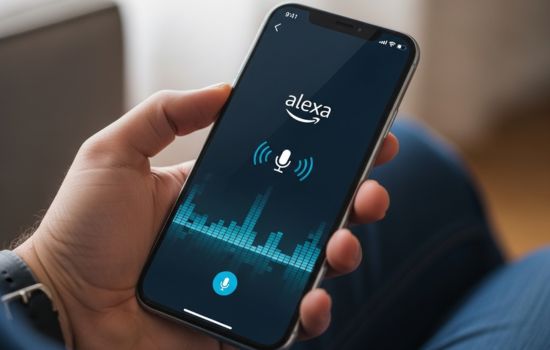
Transforming your mobile device into an Alexa assistant opens numerous possibilities for convenience, productivity, and entertainment. The free Amazon Alexa app provides accessible entry into voice-controlled technology without requiring additional hardware purchases.
Success depends on thoughtful setup, regular exploration of features, and integration into daily routines. Whether managing smart home devices, accessing information hands-free, or streamlining common tasks, the smartphone implementation offers genuine value for modern users.
As voice assistant technology continues advancing, your Alexa-enabled phone becomes increasingly capable and intuitive. Embracing this technology now positions you to benefit from future innovations while enjoying immediate improvements to how you interact with digital services and connected devices.
